Your team gets a new batch of user stories every sprint, and the request for test cases arrives before the stories are final. You write the cases by hand, and half of your week goes to formatting steps and expected results. Capgemini’s World Quality Report found that 89% of organizations pilot or deploy Gen AI in quality engineering, yet only 15% run it at enterprise scale. Below you’ll learn how AI test case generation works and where generative AI fits in your testing workflow.
What Is AI Test Case Generation?
AI test case generation uses a language model to convert requirements or user stories into draft test cases with steps and expected results for a person to review. The input can be a Jira ticket, a Confluence page, a PDF specification, a screenshot of a mockup, or the source code of a feature. The output depends on the tool and the test types you need. Most tools generate structured test cases with test steps for manual testing or Gherkin scenarios for BDD, and some AI testing tools also produce an API test from a specification or executable test code for test automation. In every case, the model drafts, and a tester decides what enters the suite.
There are two kinds of AI test case generation tools:
- A standalone AI test case generator, such as a chat window, reads only the text you paste.
- A generator inside a test management project reads the requirement together with the test suites that already exist in the test repository, so it suggests AI test cases for the gaps and skips the covered cases.
This difference matters more than the AI models behind the tool, and the best practices section returns to it. Capgemini reports that generative AI use in quality engineering has moved from analysing outputs, such as defect reports, to shaping inputs. Test case design and requirements refinement now lead adoption, which puts AI in test case generation ahead of AI in defect analysis.
Manual Test Case Creation Vs AI Test Case Generation
Manual test case creation gives you full control over each case and costs the most time. AI test case generation gives you a fast draft with consistent structure, and it needs a person to add the domain context. The table below compares the two approaches on the points that decide the sprint plan. The numbers come from the 2025 Thoughtworks experiment on generating test cases from user stories using generative AI.
| Point | Manual test case creation | AI test case generation |
|---|---|---|
| Starting point | Empty template and the tester’s knowledge of test design | The requirement text and, inside a test project, the existing suite |
| Time per case | About 20 minutes for a case with steps and expected results | Seconds to draft, about 2 minutes to review. The study measured an 80.07% time saving on drafting |
| Edge cases | Depend on the tester’s experience with the feature | Proposed from every limit named in the requirement. 98.67% acceptance-criteria coverage on simple stories |
| Consistency | Varies by tester, so five testers produce five formats | The same case templates and test steps every time, 96.11% consistency score in the study |
| Domain context | Included, because the tester knows the product history | Missing, so the reviewer adds it. 27.22% of generated cases needed a clarifying question |
| Traceability | Added by hand after the case exists | Created at generation time when the suite comes from the requirement |
The rows show where each approach wins. Manual test creation wins on context, and it stays the right choice for the risky flows a tester knows better than the specification does. AI generation wins on speed and consistency, and it stays the right choice for the many standard cases each story implies. Most teams end with a mix of manual and AI-generated test cases. The model drafts the standard cases from the requirement, and the tester writes the cases that need product history. The review gate applies to both. In Testomat.io, the two kinds of tests live in the same test suite and the same test coverage view, so the mix is visible to a QA manager.
Why Do Teams Use AI Test Case Generation?
Teams use it because software development produces user stories faster than testers can write cases for them. The model produces the first draft in minutes, so the tester spends the sprint on review and on the scenarios the model missed.
The reasons below come up most often when QA teams explain the switch, and each has a number next to it:
- Sprint time. A two-week sprint with 8 stories and 10 test cases per story means 80 cases to write and review. At 20 minutes per case that is more than 3 working days of typing before the first test runs. The draft is the repetitive part of test authoring, and a language model handles repetitive text well.
- Coverage gaps. A generator inside the test project proposes cases for requirements that lack tests. Generating AI test cases for those requirements turns test coverage gaps into a list you can act on. The requirement gets tests, and the coverage report gets a number instead of a guess.
- Onboarding. A new tester who reads a generated draft for a feature learns the expected paths and the edge cases faster than a tester who starts from an empty template. The draft is a study guide as much as a work product.
- Changed stories. When a story changes mid-sprint, you can use AI to generate a fresh set of suggestions for that requirement and compare them with the existing suite. The update takes minutes, while a manual rewrite of 10 cases takes the rest of the afternoon.
Benefits Of AI Test Case Generation
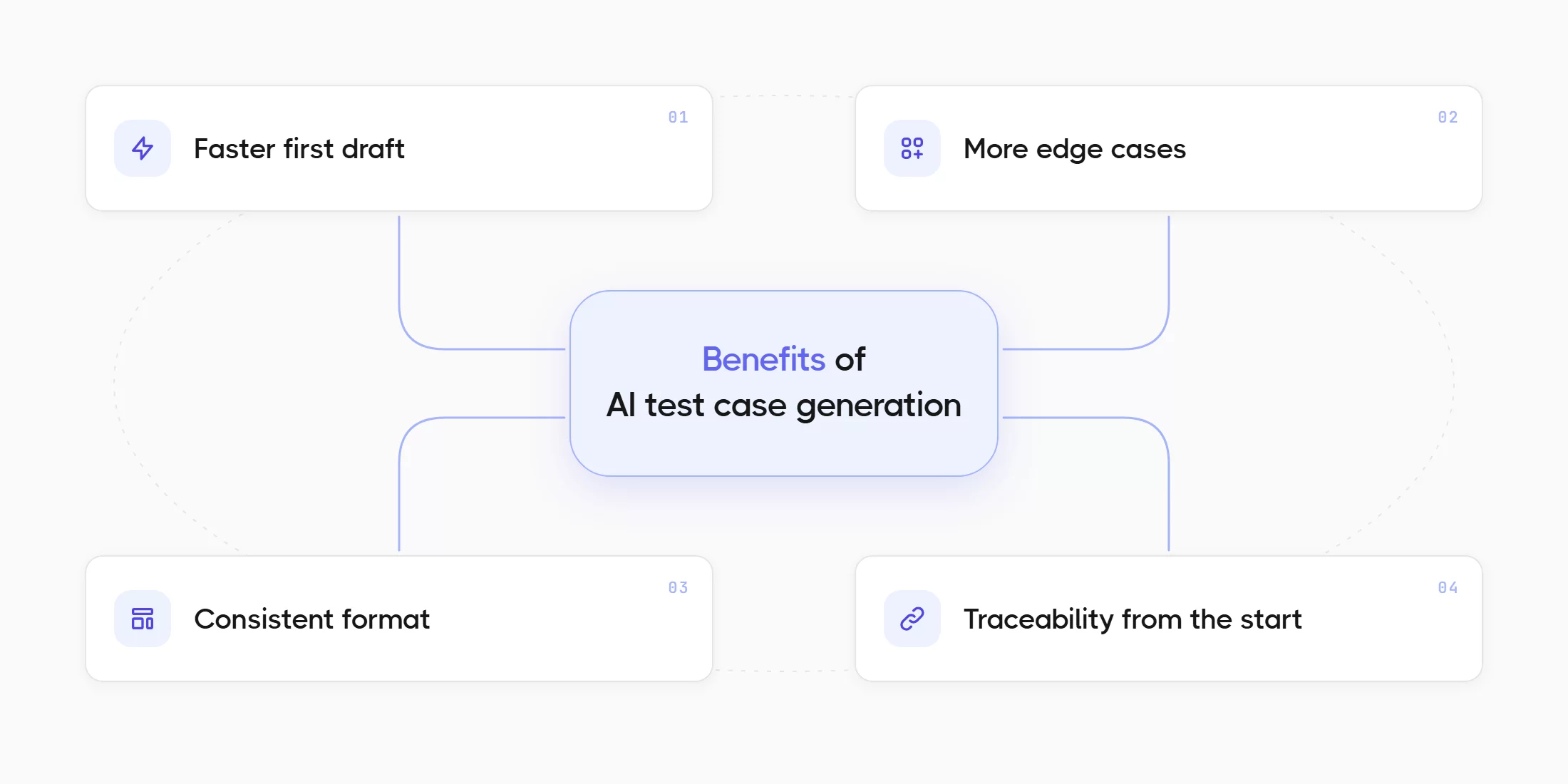
The benefits below come from published measurements and from the features you can check in AI testing tools, so each benefit has a number or a concrete example next to it.
Faster First Draft
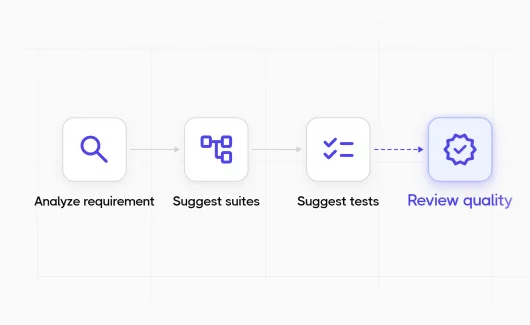
A 2025 Thoughtworks experiment on test case generation using AI from user stories measured an average time saving of 80.07% on the drafting step. The testers in the study spent that time on prompt refinement and review, which is where the domain knowledge lives. In Testomat.io the AI-powered test case generation feature follows the stages above: Analyze Requirement, Suggest Suites, then Suggest Tests for each suite you link. A requirement with clear criteria produces a reviewable suite in a few minutes.
More Edge Cases
The same Thoughtworks study found that on simple functional stories, the generated cases covered 98.67% of the acceptance criteria. The model proposes the limits of each rule, such as a value just above the maximum or a request just after a timeout, because those limits appear in the requirement text. AI Test Data Suggestions in Testomat.io extend this to input values. The feature reads a test’s description and proposes realistic data examples, which is the fastest way to reach the edge cases a rule implies. Automated test case generation from code shows similar numbers. A 2023 study by Schäfer and colleagues ran TestPilot, a unit test generator built on a language model, against 25 npm packages with 1,684 functions. The generated tests reached a median statement coverage of 70.2% and a median branch coverage of 52.8%.
Consistent Format
Hand-written cases from five testers arrive in five formats. The Thoughtworks study recorded a 96.11% consistency score for generated cases, because the model applies the same template every time. Consistent cases are easier to review and easier to automate. If your team follows a documented template, such as the test case specification in ISO/IEC/IEEE 29119-3:2021, the reviewer can check each generated case against the same fields. For BDD projects, AI-generated BDD scenarios reuse the step definitions your project already has. New Gherkin scenarios match the vocabulary of the existing ones, so the step library stays small.
Traceability From The Start
When you generate test cases from requirements, the link between the suite and the requirement exists at the moment of creation. The requirements traceability view in Testomat.io then shows which requirements have tests and which have gaps, and it treats generated and manual tests the same way. Global Requirements attach a chosen requirement to every new test, including the tests in AI-generated test suites. This suits compliance rules that apply to the whole product, because the link exists before a tester writes the first step.
Limitations Of AI Test Case Generation
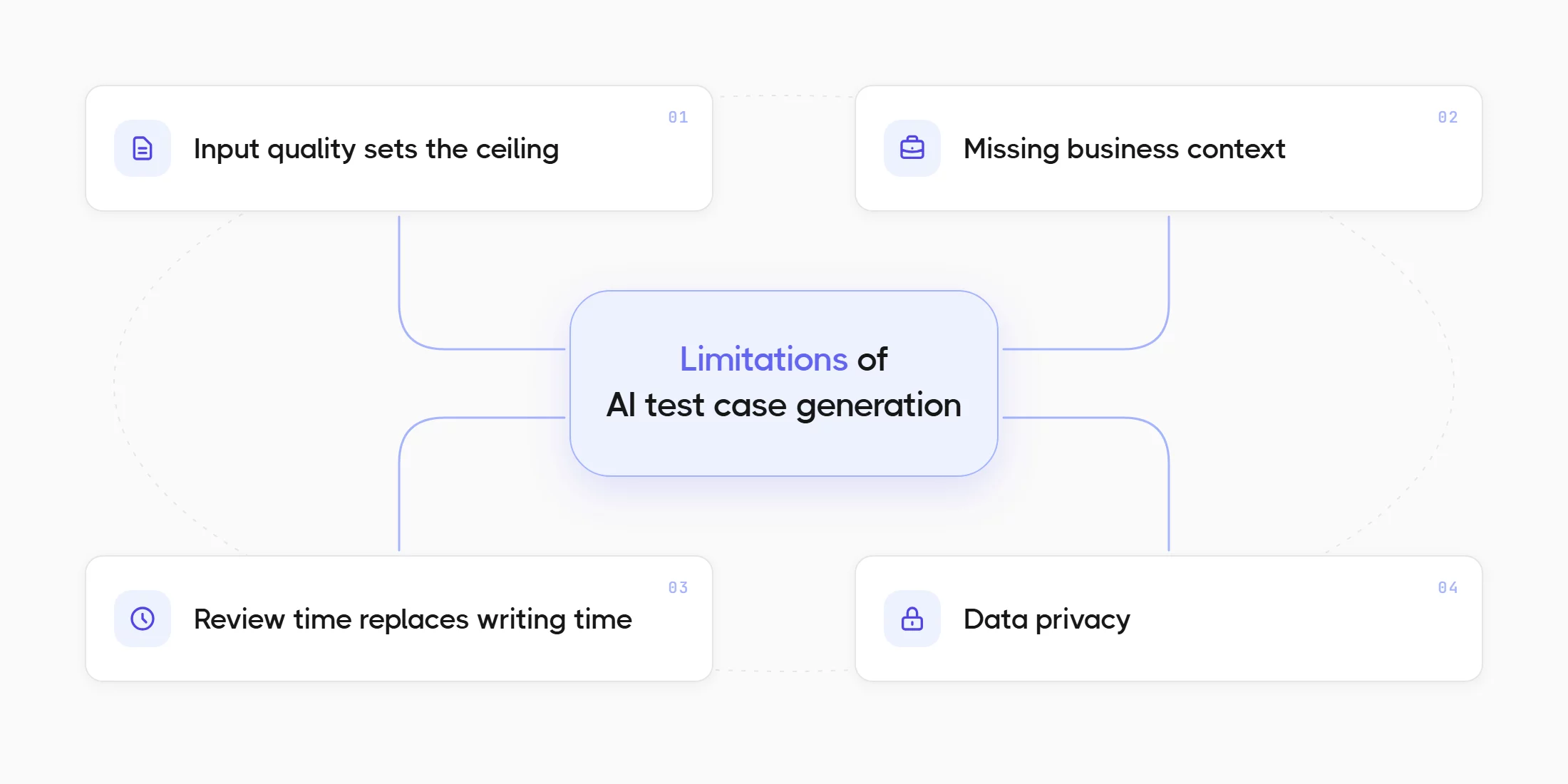
The limitations are as measurable as the benefits, and a team that plans for them gets the benefits every sprint instead of once in a demo.
Input Quality Sets The Ceiling
Weak input causes most weak output. A story that lacks acceptance criteria makes the model invent expected results, so it produces generic cases your suite covers. The Thoughtworks study recorded a 27.22% ambiguity rate, so more than a quarter of the generated cases needed a clarifying question before a tester could run them. The Capgemini report adds the business side: 60% of organizations name hallucination and reliability as a barrier to scaling Gen AI in QE. Most of that risk sits in the requirement, and the best practices section shows how to remove it.
Missing Business Context
The model reads the requirement and the existing tests. It lacks the memory of the incident last quarter and of the customer who uses the export feature in an unusual way. The tester adds that context during review, and the review is where the value of the process lives. Test prioritization stays with the tester as well, because release risk lives outside the requirement text. A 2025 systematic mapping study by Karhu and colleagues reviewed empirical research on AI in testing. The authors found that test case generation is among the most promising use cases, while reported implementations and observed benefits in industry remain limited. The gap between expectation and practice is mostly a gap in review discipline.
Review Time Replaces Writing Time
Generation removes the typing, and it adds a review queue. A team that generates eighty cases and reviews each in two minutes spends almost three hours on review per sprint. That is far less than three days of writing, and it is more than zero, so the sprint plan needs a line for it. The 2025 Stack Overflow Developer Survey found that 84% of developers use or plan to use AI tools. In the same survey 46% distrust the accuracy of the output, and 66% name output that is almost right as their biggest frustration. A generated test title that is almost right costs the same review time as code that is almost right. Testomat.io shortens the queue with a review gate per suggestion. You can double-click a suggested title to edit it before you add it, and suggestions you skip stay outside the suite. Test Case Quality Review then reads each accepted description and suggests changes to readability and completeness.
Data Privacy
Requirement text often contains product plans and customer details. The Capgemini report found that 67% of organizations name data privacy risk as a barrier to scaling Gen AI in QE, and 64% name integration complexity. The fix is to run generation on a provider your security team approved. Testomat.io uses Groq by default, and you can connect the AI models your company approved through Azure OpenAI, Amazon Bedrock, or a custom AI provider at company level, so requirement text stays inside your cloud even for advanced AI features such as image analysis.
Best Practices For AI Test Case Generation
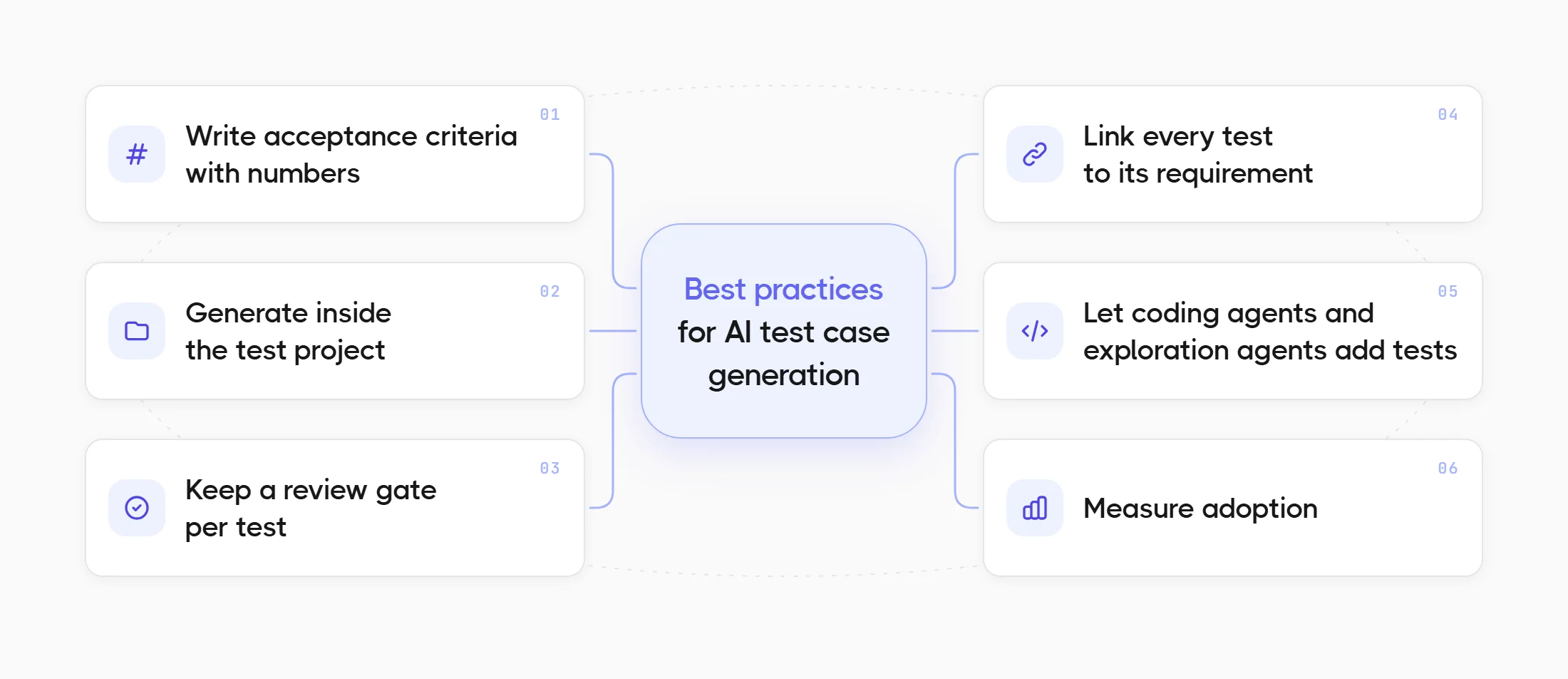
The practices below follow the order of the process, from the story to the coverage report. Each practice answers a limitation from the section above.
Write Acceptance Criteria With Numbers
A story such as “As a user, I want to reset my password” produces generic tests. The same story with criteria produces tests you can run:
- The reset link expires 30 minutes after it is sent.
- A reset token works once.
- A user can request at most 3 reset links per hour, and the 4th request returns HTTP 429.
- The new password needs at least 12 characters and must differ from the last 5 passwords.
Each line names a limit with a number, so the model has a value to test just above and just below. You need to state the expected result for every error path, and you need to attach the mockup, because Testomat.io reads images on a requirement as part of the analysis. This guide to clear acceptance criteria for user stories covers the format in detail.
Generate Inside The Test Project
A chat window forgets your suite the moment you close it. Suggest Tests in Testomat.io works with a suite’s current tests and its description, so the suggestions target the gaps instead of repeating covered cases. A plain text description on a suite is enough to start. Generation inside the test case management project also keeps the review in the same place as the suite. After a large generation run you can use AI detection of duplicated and unused tests to find overlaps and merge them before the next run.
Keep A Review Gate Per Test
You need to accept tests individually and edit each title before you add it. A gate per test costs seconds and prevents the generic cases from the weak-story example above from entering the suite. The Quality Review step afterwards catches the descriptions that read well as titles and badly as steps.
Link Every Test To Its Requirement
You need to generate from the requirement itself, so the link exists at creation. A pasted copy loses that link. If your product team keeps specifications in Confluence, the Confluence integration lets you use the space as a requirement source, and the model reads the page your team maintains.
Let Coding Agents And Exploration Agents Add Tests
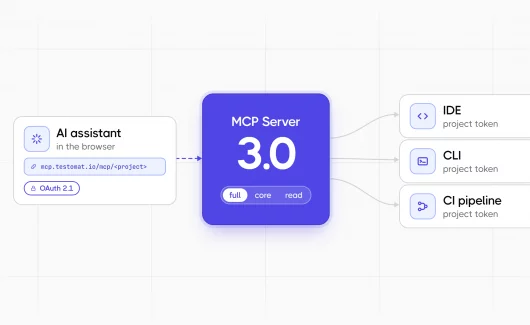
Generation also runs outside the test project. Model Context Protocol (MCP) is an open standard that lets an AI agent call external tools, and the Testomat.io MCP server v2.0 lets assistants such as Claude and Cursor create and update tests and suites through the Public API v2. So a coding agent can read the requirement and generate an executable test in Playwright. In the same session, it files the matching test case. The guide to MCP server testing tools covers the setup.
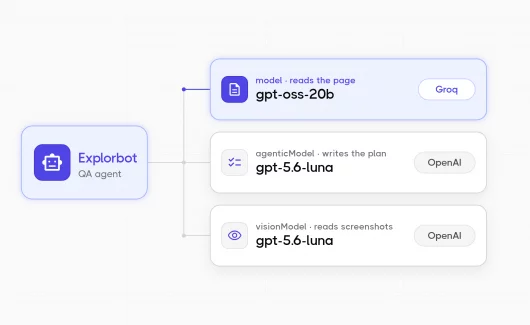
Explorbot starts from the running application instead of a document. It explores a web app in a browser and saves each verified flow as a Playwright or CodeceptJS spec, at 30 to 50 tests per hour and about 1 dollar per hour in model tokens. It also records a screencast of every run, so the test artifacts include evidence as well as specs, and its reports appear in Testomat.io next to your other runs.
Gartner’s Magic Quadrant for AI-Augmented Software Testing Tools, published October 2025, expects 70% of enterprises to integrate AI testing tools into their engineering toolchains by 2028, from about 20% in early 2025. Agent access is the form that growth takes for teams that already code with AI.
Measure Adoption
Adoption needs a number before a manager can improve it. The Company Statistics AI Usage widget in Testomat.io shows success rates and active users per project, so a QA manager can tell which teams generate tests and which teams write them by hand. Deloitte’s State of AI in the Enterprise 2026 report, a survey of 3,235 leaders in 24 countries, found that 74% of organizations hope to grow revenue through AI and 20% already do. The gap is a measurement gap as much as a technology gap, and the AI Usage widget gives QA its first number.
How AI Test Case Generation Works in Testomat.io
The guide below covers the path from a requirement to a reviewed suite. It uses the labels from the Testomat.io interface, so you can follow the workflow and create test cases with AI in your project.
- Enable AI. AI features are off by default. The company owner turns them on in Company Settings. Groq is the default provider, and you can select Azure OpenAI, Amazon Bedrock or a custom provider in the same place.
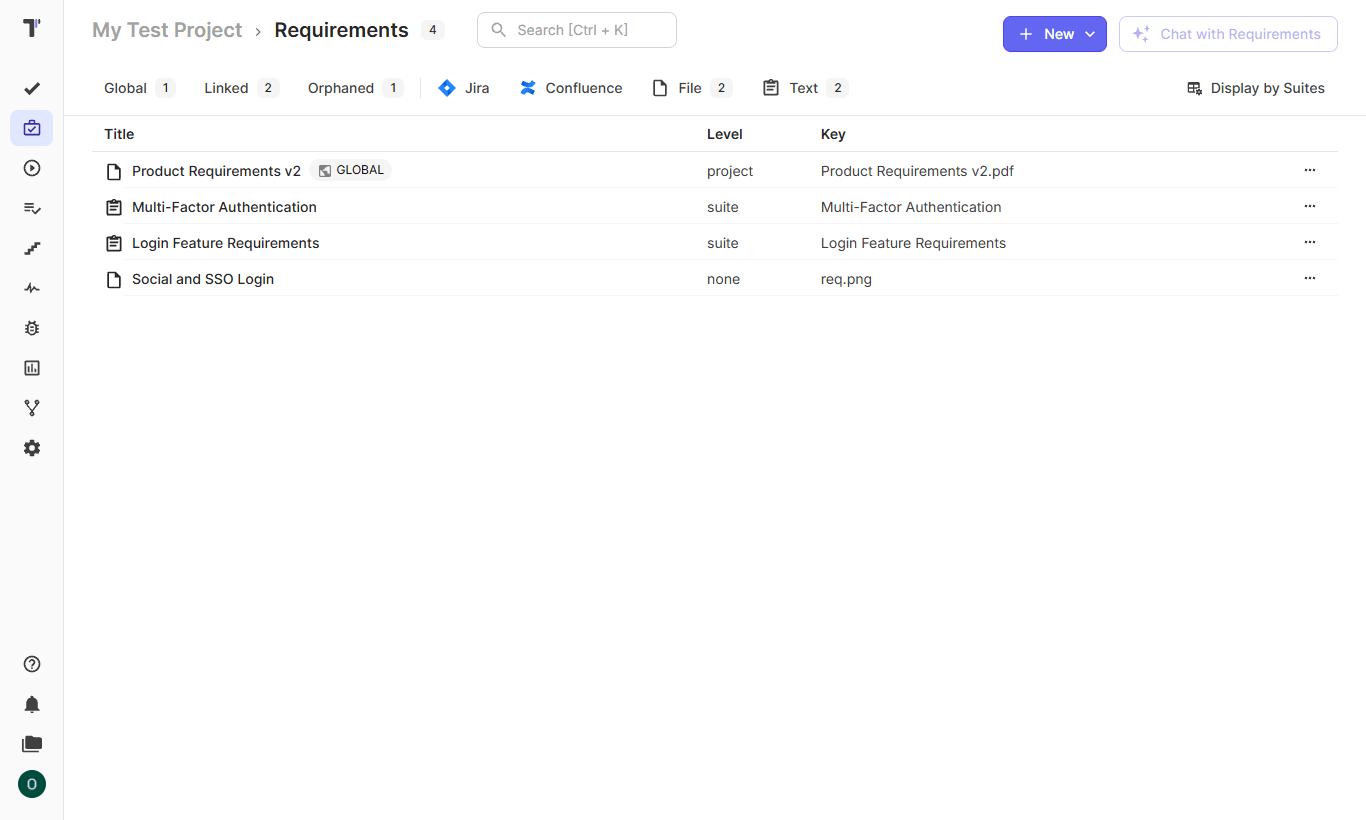
- Create the requirement. You open Requirements in the project and add a source: a Jira ticket through the Jira integration, a Confluence page, an uploaded file or plain text. You can attach a mockup image too, because the analysis reads it.
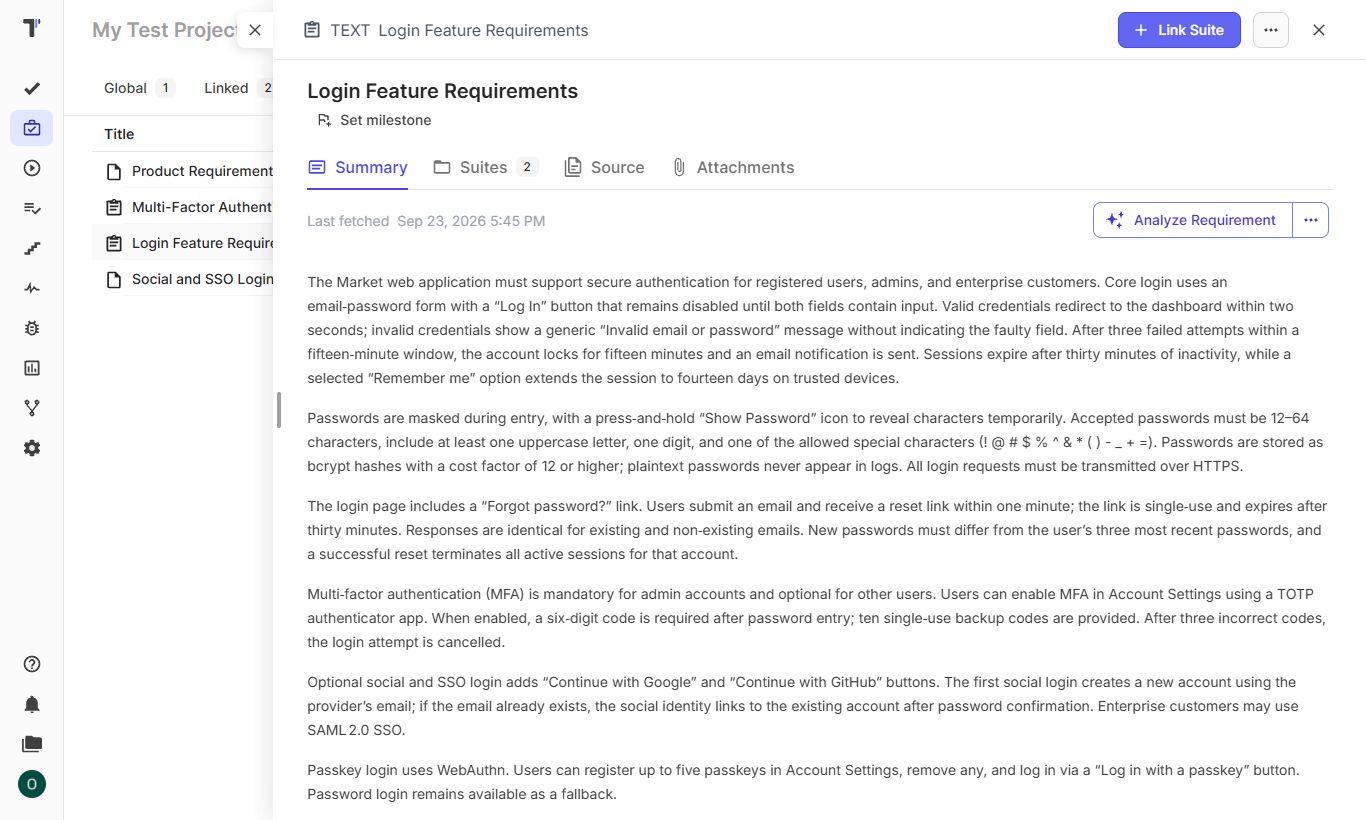
- Analyze the requirement. You can click Analyze Requirement. The AI panel opens with a summary of the requirement, and each acceptance criterion appears as a testable condition.
- Suggest suites. You can select Suggest Suites. The panel proposes a suite for each part of the requirement, and you link the suites you agree with.
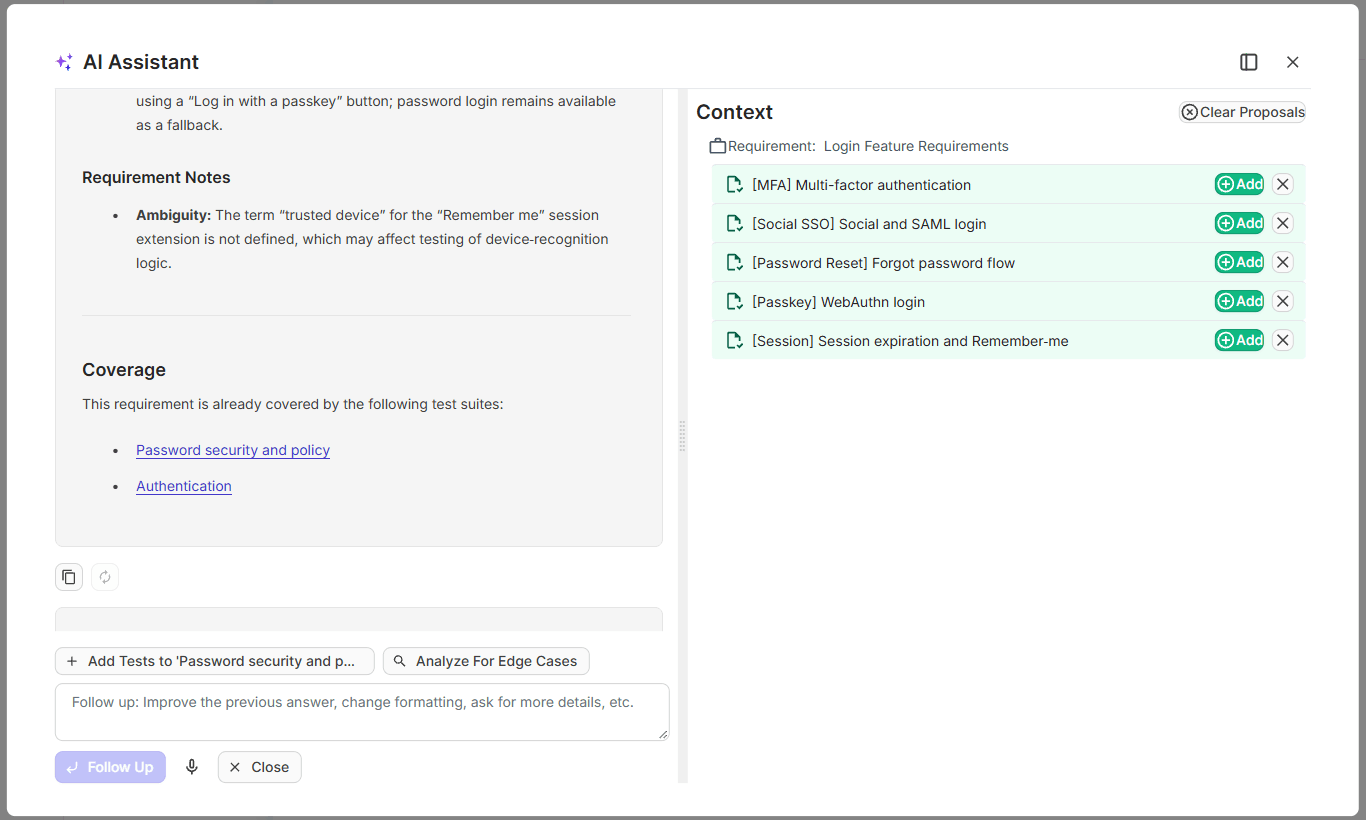
- Suggest tests. In a linked suite, you open the Extra menu and select Suggest Tests. The panel lists test titles. You can double-click a title to edit it, then click Add for each title you keep. Titles you skip stay outside the suite.
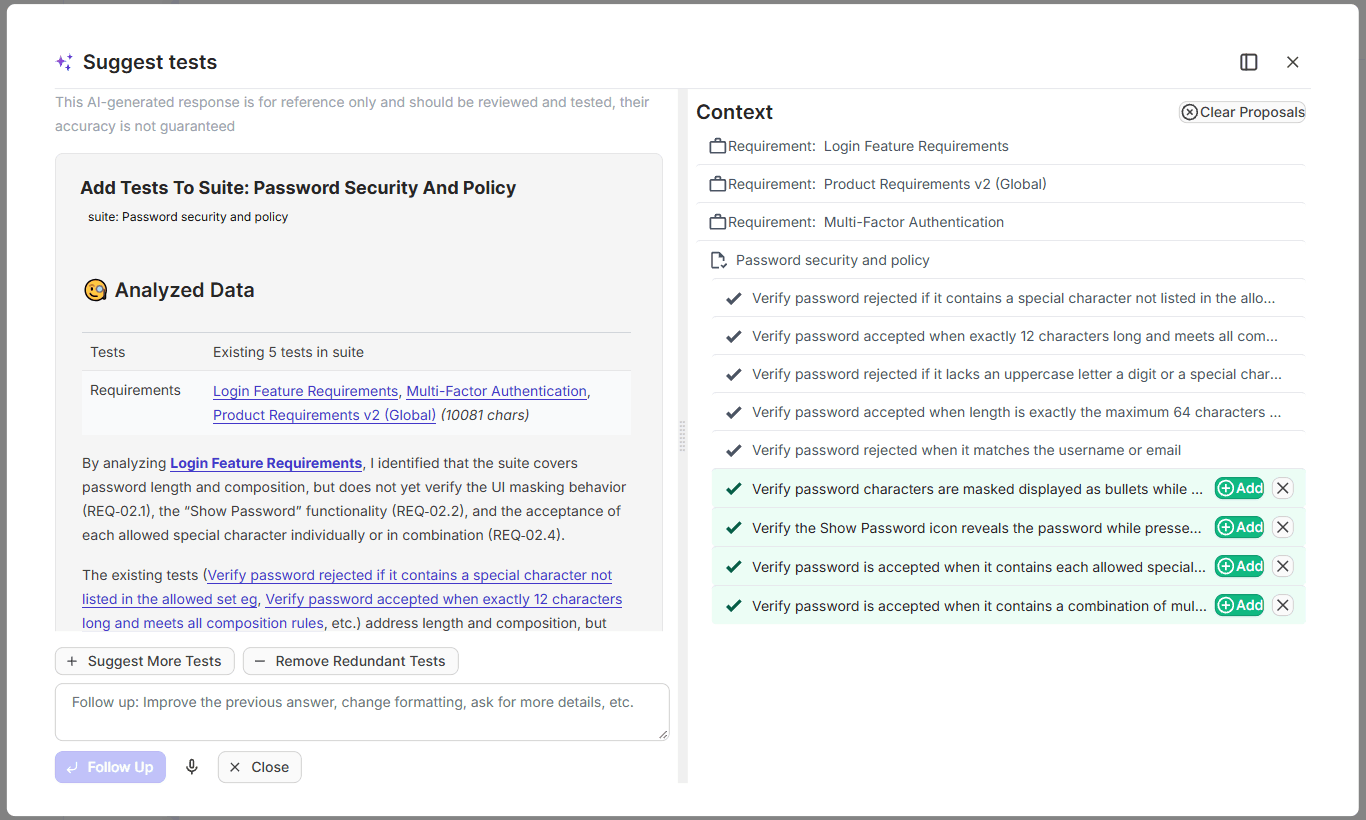
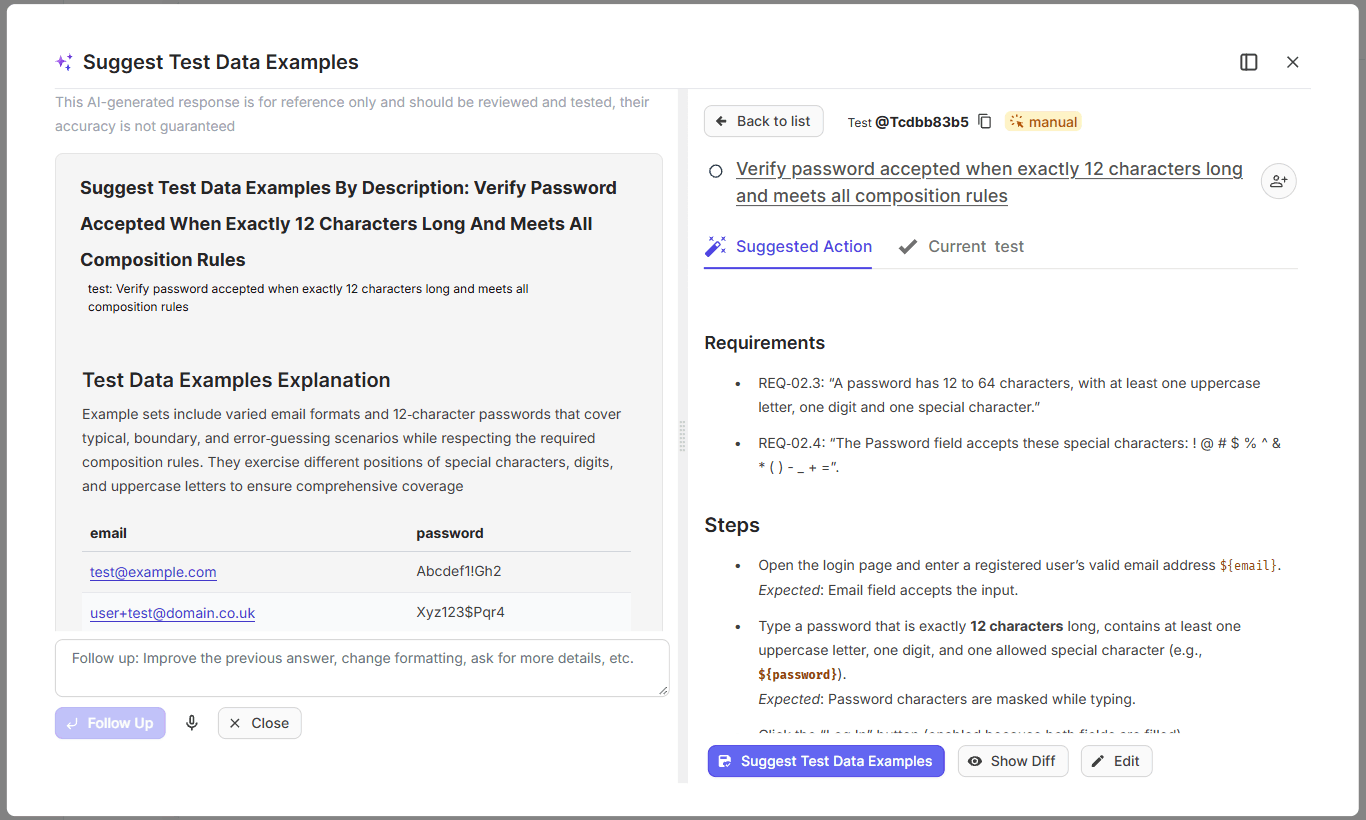
- Write descriptions and test data. You can click Write Description on an added test, and the model adds test steps and expected results. You confirm the result or edit it by hand. Then you can request AI Test Data Suggestions for realistic input values.
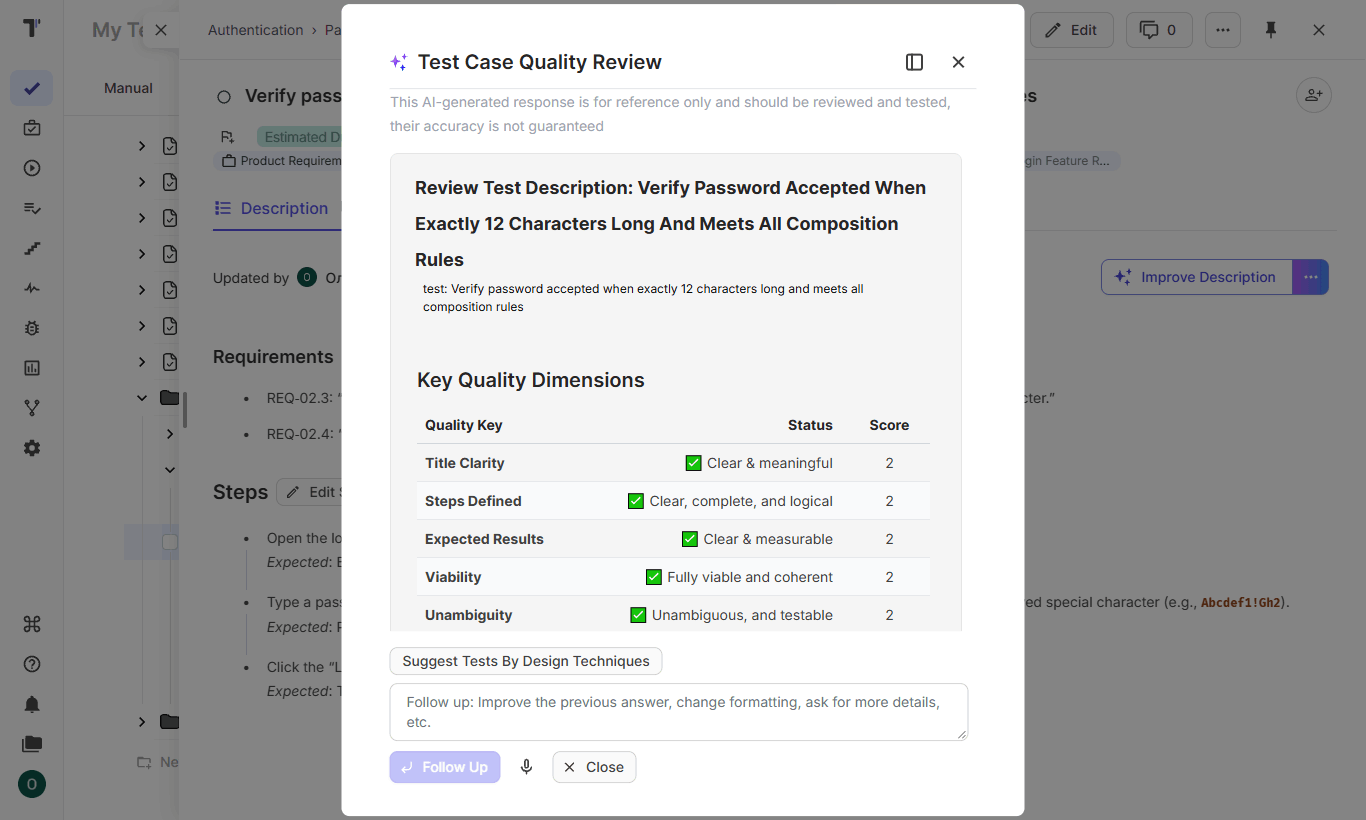
- Review quality. You open the Description tab of a test and click the AI button. Test Quality Review suggests changes to readability and completeness, and you apply the ones you agree with.
- Check coverage. Back on the Requirements page, the requirement shows its linked suites and tests. If a large run produced overlap, Find Duplicates lists the tests to merge.
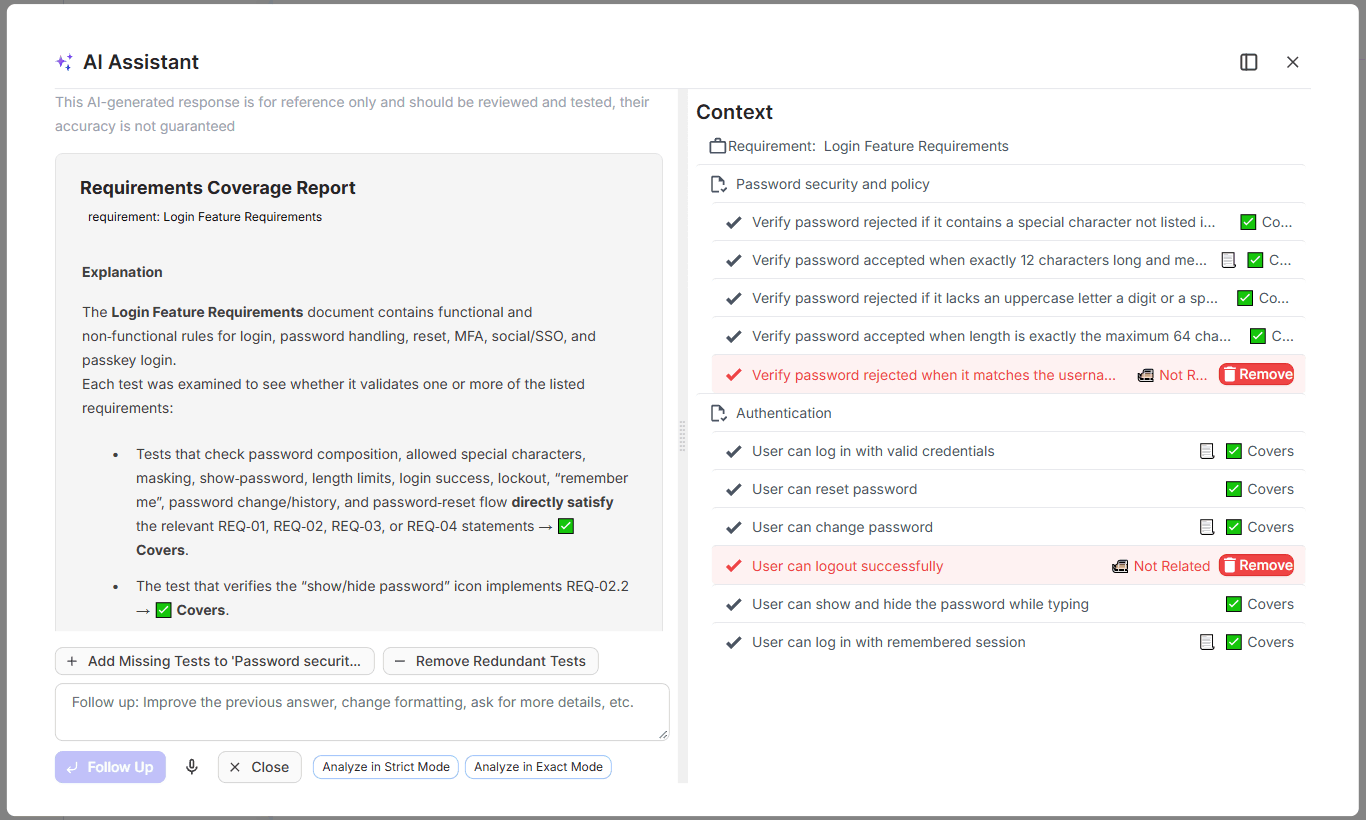
The whole flow takes minutes for a requirement with clear criteria, and every test in the result carries a link to the requirement it came from. The AI-Requirements documentation covers each label in detail.
Bottom Line
AI test case generation saves the time you spend on the first draft, and the quality of that draft depends on the user story you give the model. You need clear acceptance criteria, and you need to generate inside the test project so the model reads the existing suite. After that, you can review each suggested test and keep it linked to its requirement. The result is a reviewed and traceable suite for every story in the sprint. If you are ready to generate your first test suite from a user story with AI-powered test case autogeneration, try Testomat.io.